Step-by-step guide
If If you cannot access the site using the temporary IP address, you can modify your Mac OS hosts file instead.
Step 1
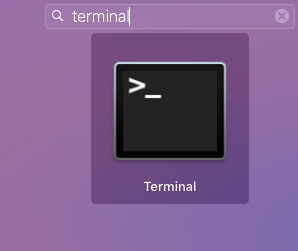
Launch the Terminal app. You can find the Terminal app under the Utilities folder in Applications. You can also find it using the Spotlight function.
Step 2
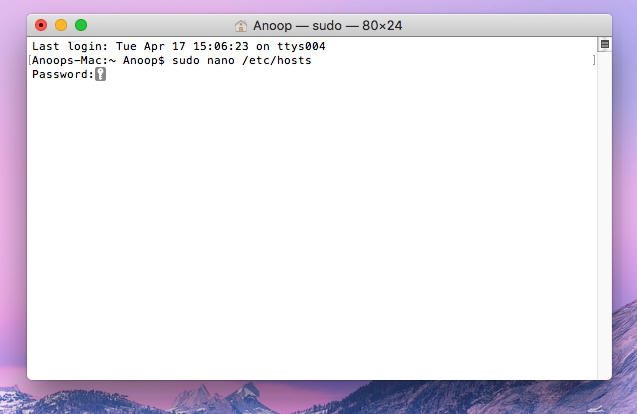
Once the Terminal app is open, type the following command and press enter. You'll be prompted for your Administrator password:
sudo nano /etc/hosts
Step 3
The Nano text editor will appear with the content of the /etc/hosts file within it. Use your arrow keys to place your cursor at the end of the file. You can now type the IP address of where you want the domain to resolve to, followed by the tab key, and finally, enter the domain name.
...
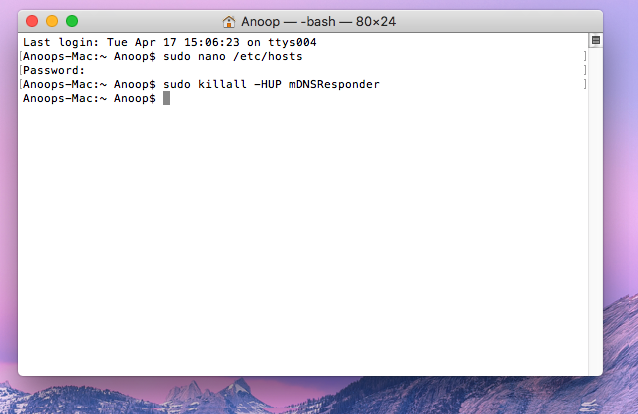
sudo killall -HUP mDNSResponder
| Info |
|---|
| IMPORTANT: Don’t forget you have edited the |
...
| hosts file. At some point, you’ll want to come back and undo |
...
| the changes made here. |
...
Related articles
Content by Label showLabels false max 5 spaces GKB showSpace false sort modified showSpace false reverse true type page cql label in ("hosts","mac","file","edit") and type = "page" and space = "GKB" labels hosts file edit mac
| Page properties | ||
|---|---|---|
| ||
|