In case you don't need a service anymore (hosting package, domain registration, etc), please follow steps below to cancel it.
Cancellation procedure
- Navigate to the cancellation page: https://glowhost.com/cancel
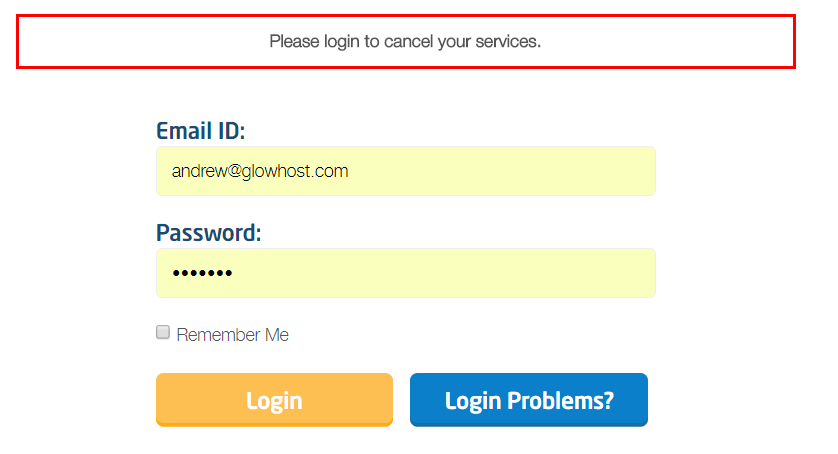
- In case you were not logged in MyGlow account, you will be asked to login:
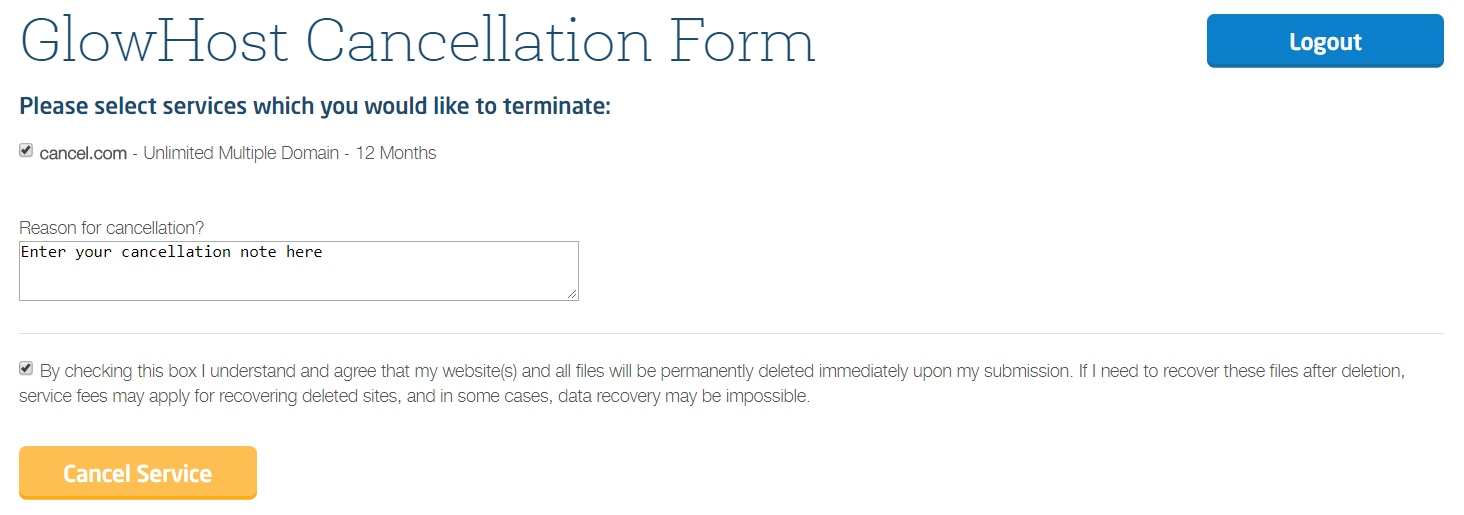
- Once logged in, choose services you would like to cancel and click "Cancel," by clicking the checkbox confirm that you understand that account files will be removed and click "Cancel Service" button.
- You will be redirected to the confirmation page. Ensure to save the cancellation confirmation number, as well as several coupon codes.
F.A.Q.
Q: I can't select the service from the list (checkbox is not active).
A: Checkbox of the service will be inactive in case you have outstanding invoices for the corresponding service. Please settle outstanding invoices in order to complete cancellation (not obligatory for Domain Registration and SSL services).
Q: I have cancelled the service but still can see it in MyGlow account.
A: Some types of cancellations require review and approval by the billing team. Once it is done the service will be completely removed from your account.
Q: Can I restore all services if I have cancelled the account?
A: Yes, we can search for a backup and restore your account if the backup is available. Ensure to contact our support team to find out if backups are still there.